 Daily Task List
A calm new tab
for the things you need to do
Every new tab shows your to-do list or board over a beautiful photo of the day, with the time and the weather. No account, no tracking, no clutter.
Works in Chrome, Edge and Firefox.
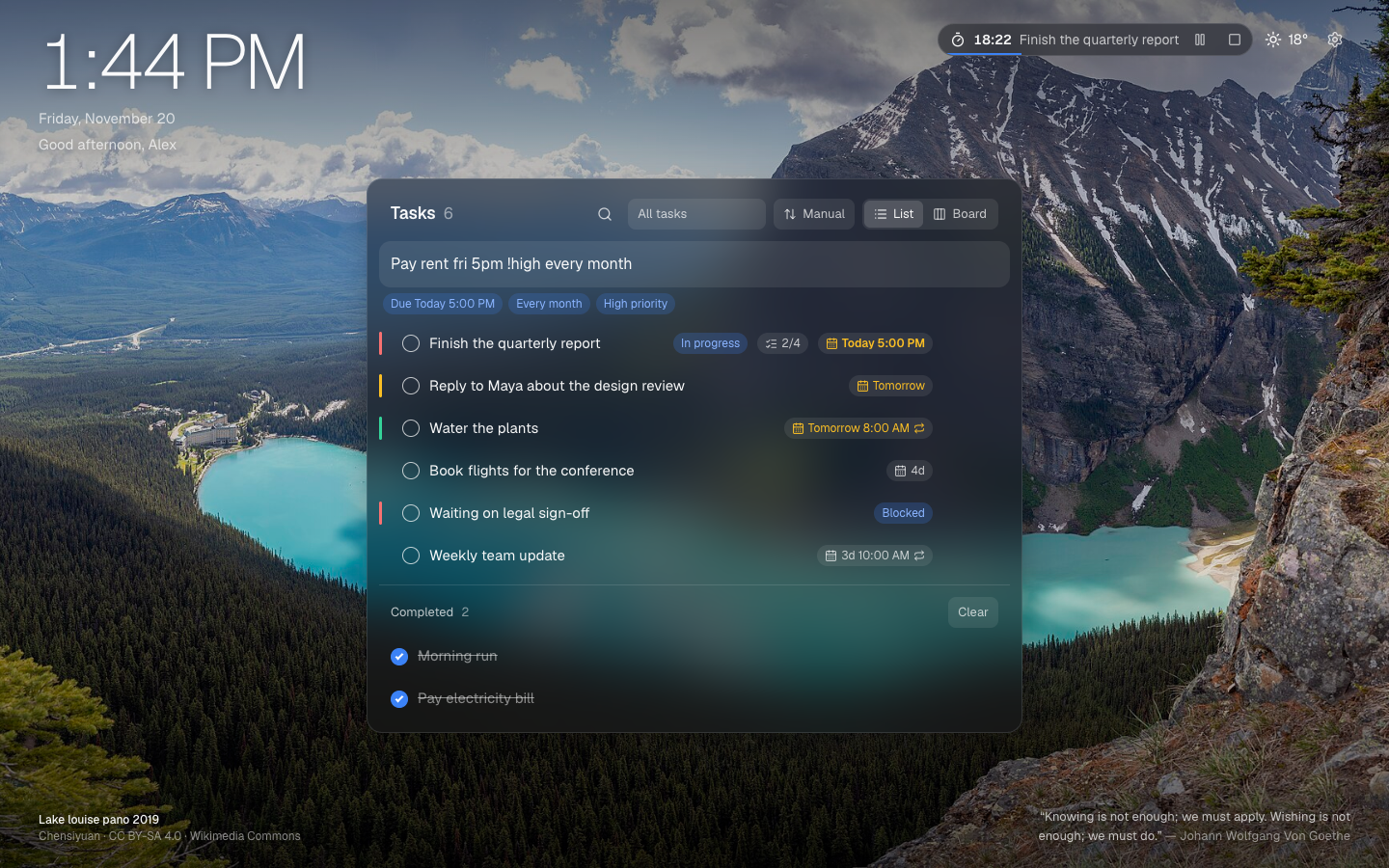
Just type it
You open dozens of tabs a day. Each one is now a quiet reminder of what matters, and adding to it takes a second.
- “Pay rent fri 5pm !high” sets the date, time and priority for you
- “Water plants every day” repeats; finish it and the next one appears
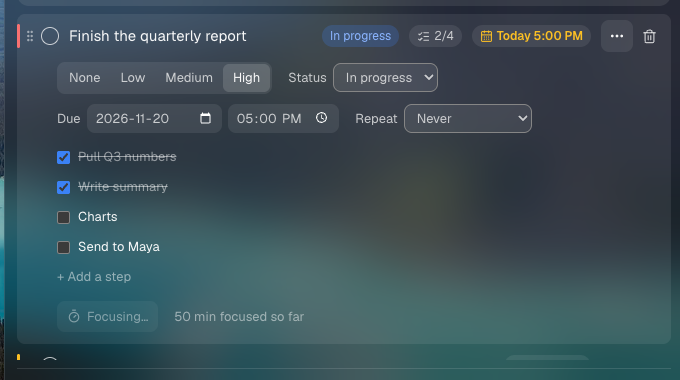
- Break bigger tasks into checklist steps
- Search and filter by today, overdue or priority
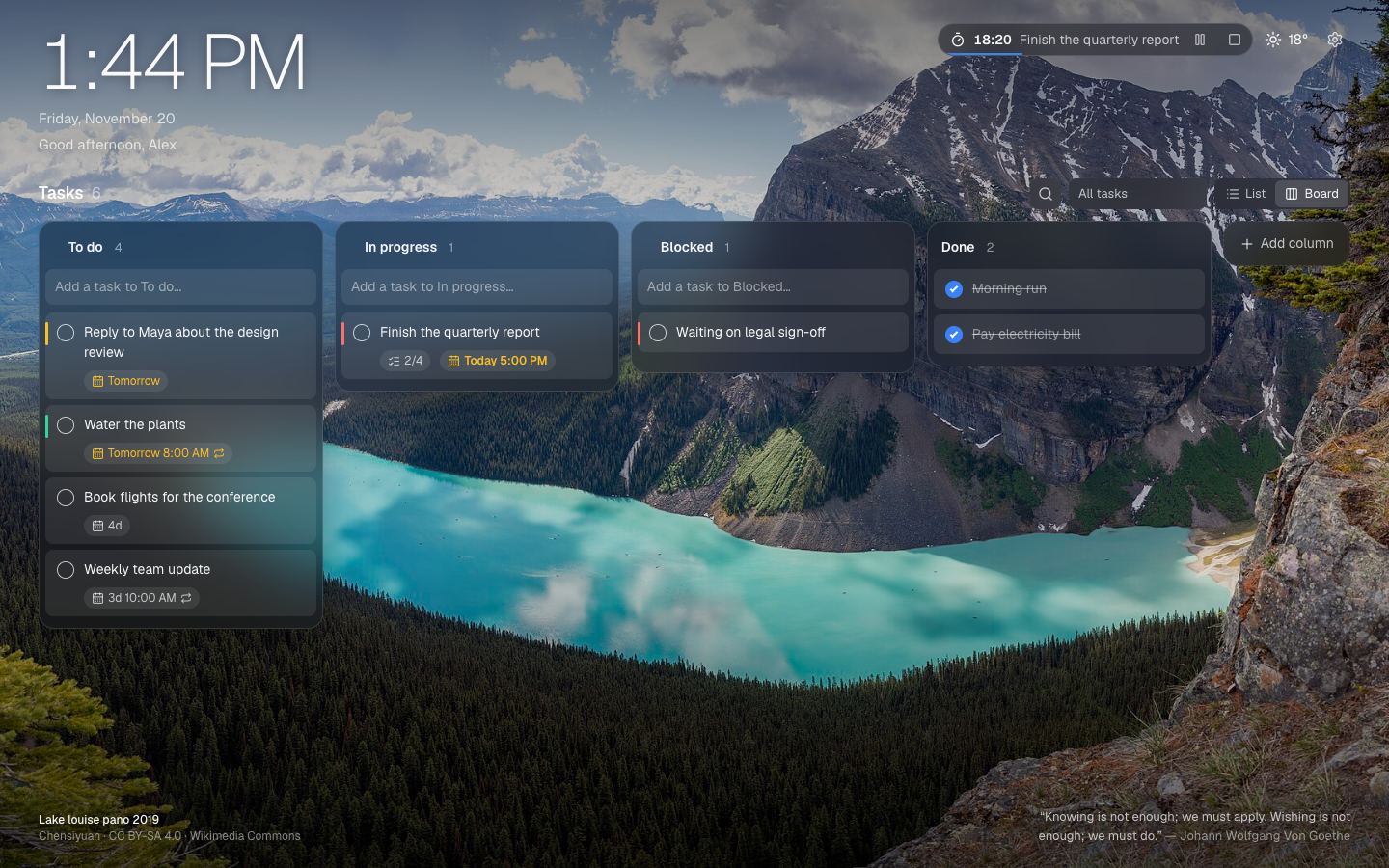
A list or a board. Your choice.
Some tasks aren’t just done or not done. Switch to the board to see what’s in progress, blocked or waiting, and it stays that way every time you open a tab.
- Starts with To do, In progress and Done
- Add, rename, reorder or remove columns, up to eight
- Drag cards between columns
- Back in List view, each task shows its status
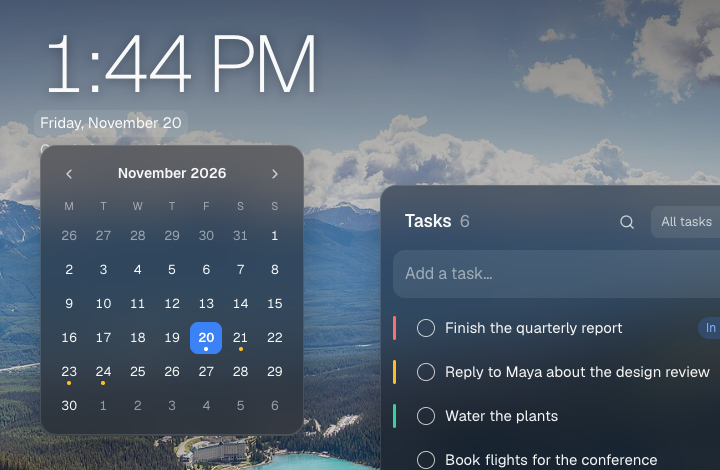
Priorities and due dates, at a glance
Mark what’s important and when it’s due. Today, tomorrow and overdue tasks stand out, and the calendar shows which days have work waiting.
- High, medium and low priority
- Due dates shown as “Today”, “Tomorrow”, “3d”
- Sort by your own order, priority or due date
- Click the date to see the month
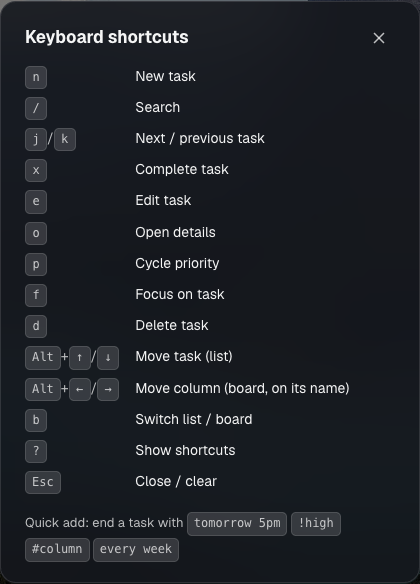
Made for the keyboard
Get through your list without touching the mouse, and stay on one thing at a time.
- n new task, j k to move, x to complete
- f starts a focus session on the task you’re on
- Reminders tell you when a task is due, even with no tab open
- Each morning, one click moves anything overdue to today
Small, private, and fast
Daily Task List does a few things and does them quietly. The whole app is about 60 KB.
Your data stays with you
Tasks live in your browser, and in your browser account only if you turn on sync. No sign-up, no servers of ours, no analytics.
On all your computers
Turn on sync and your list follows you through your Chrome, Edge or Firefox account. Open tabs always stay in step.
Reminders
Give a task a time and get a notification when it’s due, or 10 minutes or an hour before.
Weather, if you want it
Turn it on once and see the temperature, today’s high and low, and the chance of rain.
A new photo every day
Pick a theme (mountains, ocean, forests, cities, night sky and more) and get a hand-picked photo each day, with the photographer credited. Or choose a solid colour.
Yours to take with you
Export everything as a file, import it anywhere, and restore from the daily backup.
Focus timer
Start a 25-minute focus session on any task. It keeps counting across tabs and tells you when to take a break.
A fresh start each morning
Missed yesterday’s tasks? One click moves everything overdue to today.
Keyboard friendly
Press n to add, j/k to move, x to complete and ? for the rest.
Make your next new tab a useful one
Free, private, and takes ten seconds to install.